16 Jul
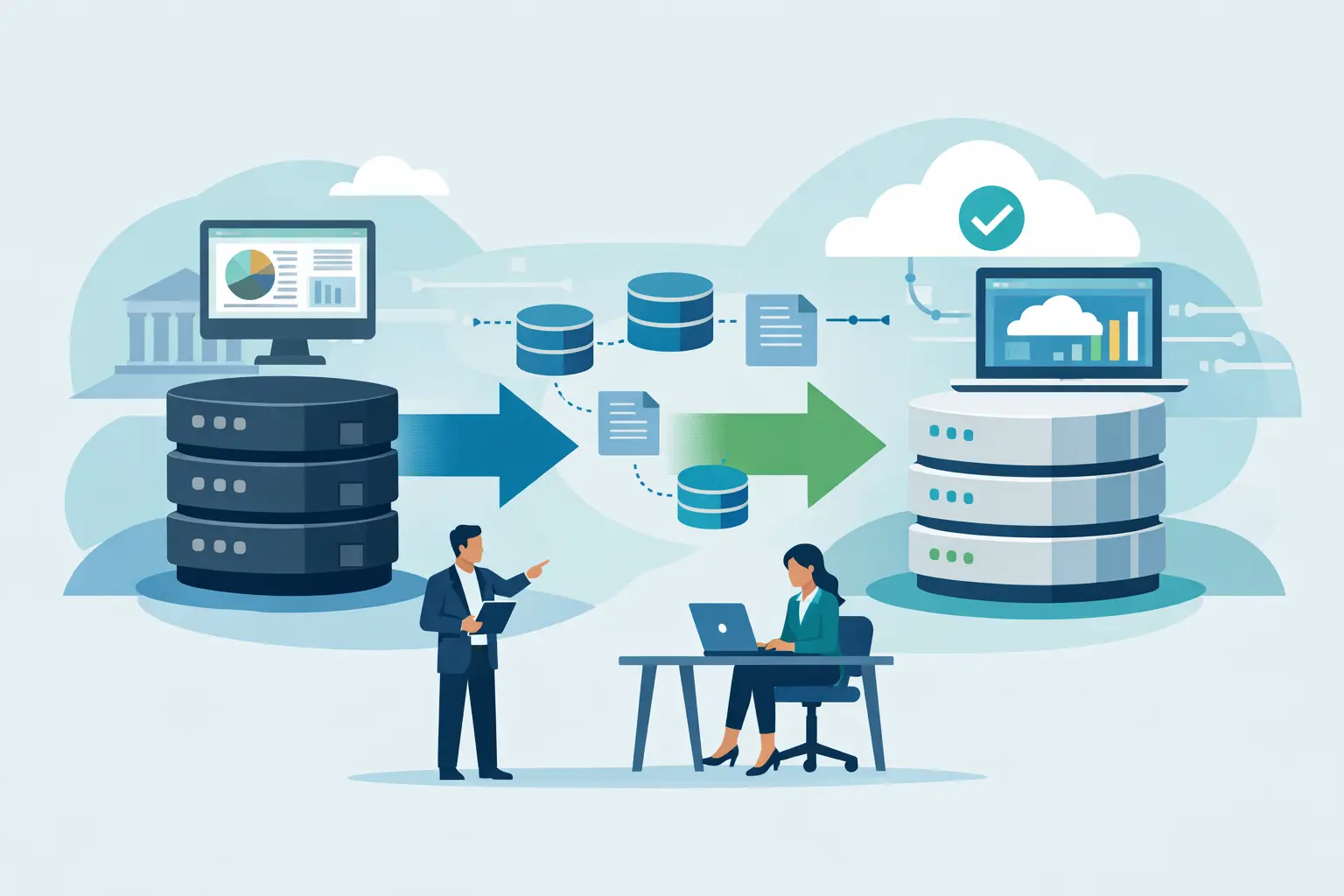
A legacy database rarely announces that it has become a business risk. It simply becomes harder to change, slower to report from, dependent on one person who understands its quirks, or unable to connect properly with newer systems. Knowing how to migrate legacy business databases is therefore not just an IT concern. It is a decision about continuity, service quality and the information your team relies on every day.
A successful migration is not a matter of copying records from an old server into a new platform. It requires a clear view of what the business needs to retain, what should be improved, and how normal operations will continue while the change takes place. The right approach reduces disruption and leaves you with a system built for the way your organisation works now, rather than the way it worked ten years ago.
Start with the business process, not the database
The temptation is to begin with the technical question: which database platform should replace the old one? That question matters, but it comes later. First, identify the processes the database supports. It may hold customer records, orders, stock movements, financial information, case files, staff data, production schedules or a mixture of all of these.
Speak to the people who use the system daily, not only the people responsible for maintaining it. An operations manager may know that a report is essential at month end. A customer service colleague may rely on a note field that looks unimportant in the data structure. These details shape the migration scope and prevent expensive surprises after launch.
At this stage, establish what success looks like. It could mean faster reporting, access from multiple locations, improved data security, integration with a website or accounting package, or a reduction in manual spreadsheet work. A migration with no agreed business outcomes can become a technical project that delivers a new database but solves none of the underlying problems.
Audit the legacy data before moving it
Most older databases contain more than the business needs. They may include duplicate customers, outdated supplier records, unused fields, inconsistent formats and historic data that no longer has operational value. Moving every item without review transfers those problems into the new system.
A data audit should identify the main data sets, their owners, their quality and their purpose. It should also reveal where data is duplicated across systems. For example, customer details might exist in a desktop application, an eCommerce platform and several spreadsheets. Deciding which source is authoritative is essential before anything is migrated.
The audit should classify data into four practical groups:
- Data required for current day-to-day operations.
- Historic information needed for legal, financial or contractual reasons.
- Data worth retaining for reporting and trend analysis.
- Information that can be securely archived or deleted under an agreed retention policy.
This is also the point to consider data protection. Personal data should not be carried across simply because it exists. Check the lawful basis for retaining it, who needs access, how long it should be kept and whether the new system requires stronger permissions or audit trails.
Choose the right destination for the workload
A modern database does not automatically mean a cloud database, and cloud is not automatically the right choice for every organisation. The best destination depends on the application, the volume and type of data, integration requirements, security expectations and the skills available to support it.
Some businesses need a cloud-based database supporting web and mobile access across several sites. Others need a desktop or on-premises system because of specialist machinery, intermittent connectivity or tightly controlled internal access. In many cases, a hybrid arrangement is appropriate, with core data centralised while selected functions continue locally.
The database choice should also support the surrounding software. If a replacement system needs a customer portal, warehouse scanning, automated document generation or links to third-party services, the architecture must allow for those integrations from the outset. A bespoke solution can be particularly valuable where the legacy database has evolved around unique business processes that off-the-shelf software cannot handle cleanly.
Build a migration plan with clear controls
Once the scope and target system are defined, create a plan that treats data movement as a controlled business change. It should set out the data to be migrated, mapping rules between old and new fields, responsibilities, testing stages, backups, approval points and a contingency plan.
Data mapping deserves close attention. A field called “status” in the old system may contain five values, while the new system may use a different workflow with eight. Addresses may be stored in one long text field but need separate lines, postcodes and countries in the replacement system. Dates, currencies, product codes and free-text notes all need agreed handling rules.
Avoid making these decisions informally during development. Document them and ask the relevant business owner to approve them. This creates a reliable record of why information was transformed, excluded or combined, which is useful for compliance, support and future improvements.
A sensible plan also defines a migration window. For a small, low-risk system, a weekend cutover may be suitable. For a business operating continuously, phased migration or parallel running may be safer. Parallel running increases short-term effort because data must be kept aligned in two places, but it can reduce the risk of a single irreversible change.
Test the migration with real scenarios
Testing is where a migration becomes trustworthy. A technical test may confirm that 50,000 records have moved, but it does not prove that staff can find the right customer, process an order, produce an invoice or run a management report.
Start with a representative sample of data, including older records and known awkward cases. Run the migration into a test environment and validate record counts, mandatory fields, relationships and permissions. Then ask users to complete their normal tasks using realistic scenarios.
For example, a distribution business might create a new customer, add an order, allocate stock, issue a delivery note and review the resulting report. A professional services firm might open a client file, record time, attach documents and check that access restrictions work correctly. These tests expose operational issues that field-by-field checks can miss.
Reconcile important figures between the old and new systems. Financial totals, order counts, stock quantities and customer balances should be checked against agreed tolerances. Where numbers differ, investigate rather than assuming the new system is wrong or the old system is inaccurate. The difference may reveal duplicate records, historic corrections or undocumented business rules.
Prepare people as carefully as the technology
Even a well-built database will fail to deliver value if colleagues do not understand how to use it or why processes have changed. Training should be role-based and practical. A manager needs reporting and approval functions; an administrator may need data maintenance tools; a front-line user needs a clear process for completing daily tasks.
Give users access to a safe training environment where possible. Short guides and clearly defined support routes are often more useful than a single long training session. Identify a small group of internal champions too. They can answer everyday questions and provide useful feedback during the first weeks of use.
Communication matters before cutover. Staff should know when the system will change, what they need to do beforehand, whether access will be restricted during the migration and who to contact if a problem occurs. Clear expectations reduce anxiety and discourage people from creating unofficial workarounds in spreadsheets.
Go live with a rollback plan
A migration plan should always include the possibility that go-live needs to be paused or reversed. This is not pessimism. It is responsible preparation. Take a verified backup of the legacy database immediately before the final migration, document the cutover steps and decide who has authority to approve go-live.
After launch, monitor the system closely. Check performance, error logs, user queries, integrations and the most important business transactions. Keep the legacy system available in a controlled, read-only form if appropriate, particularly where teams may need to refer to historic records while confidence in the new system grows.
Set a period for post-launch support rather than treating go-live as the finish line. Minor issues are normal: a report may need an extra filter, a permission may be too broad, or a workflow may require adjustment once used under real pressure. A reliable development partner will plan for these refinements and keep the solution aligned with the business.
When bespoke support makes the difference
Legacy migrations are often complicated because the old system was customised over years of use. Its logic may sit partly in the database, partly in desktop software and partly in staff knowledge. In this situation, replacing it with a generic tool can force the business to change valuable processes simply to fit the software.
Compile (UK) can assess the existing data, design a replacement system to exact operational requirements and manage the migration alongside integration, testing and ongoing support. The aim is not to preserve every limitation of the old database. It is to retain the information and workflows that matter while removing the friction that has built up around them.
The best time to begin is before the database becomes an emergency. A short discovery exercise can reveal the scale of the work, the risks to manage and the opportunities to simplify. That gives your business room to make a considered decision and move forward with confidence.
Related Post